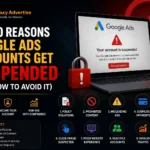



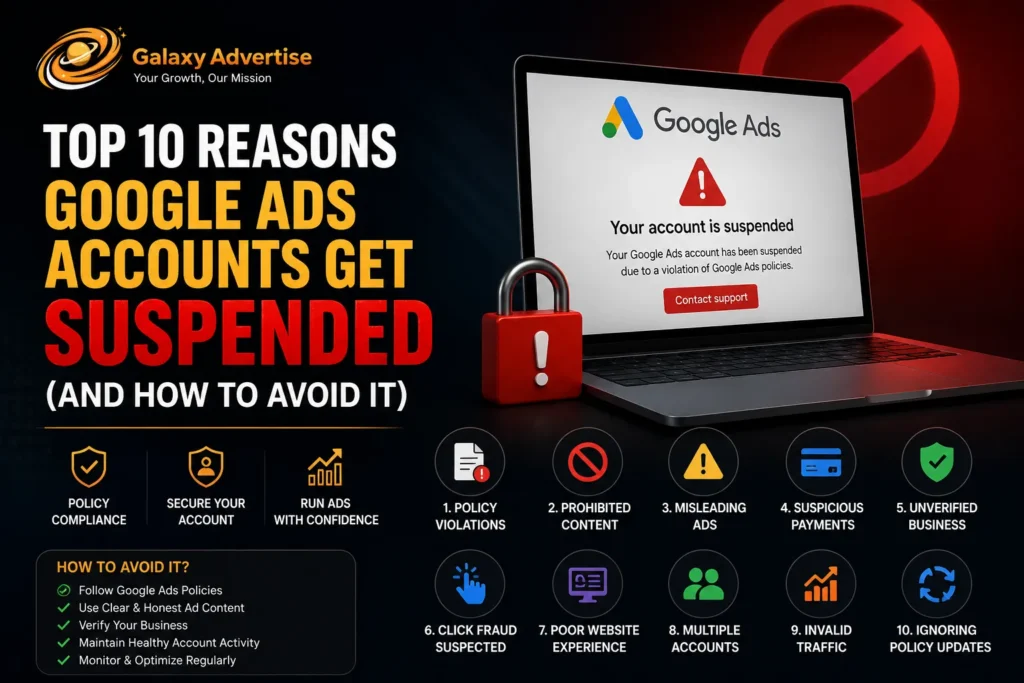
Google Ads accounts get suspended for violating advertising policies, most commonly for circumventing systems, suspicious payment activity, misrepresentation, promoting counterfeit goods, or distributing malicious software. In 2023 alone, Google suspended over 12.7 million advertiser accounts and blocked 5.5 billion ads that violated its policies. Understanding why suspensions happen and how to prevent them is critical for any business that relies on paid search advertising to drive revenue.
Whether you’re a solo entrepreneur running your first campaign or a seasoned agency managing dozens of client accounts, a sudden suspension can halt your lead flow, tank your revenue, and disrupt months of optimization work. The good news? Most suspensions are entirely preventable.
In this comprehensive guide, we’ll break down the top 10 reasons Google Ads accounts get suspended, walk you through a step-by-step prevention framework, and show you how agency ad accounts from Galaxy Advertise can provide an extra layer of compliance protection.
Key Takeaways
- Google suspended 12.7 million advertiser accounts in 2023, a 2x increase from 2021.
- The most common suspension reason is circumventing systems including cloaking, creating duplicate accounts, and manipulating ad content post-review.
- Suspicious payment activity (stolen credit cards, chargebacks, mismatched billing info) triggers instant suspension.
- Misrepresentation covers misleading claims, hidden costs, and fake reviews in landing pages.
- Ad disapprovals and account suspensions are not the same thing; a suspension locks your entire account.
- Most suspensions can be prevented with regular compliance audits, transparent landing pages, and verified payment methods.
- Agency ad accounts (like those offered by Galaxy Advertise) provide dedicated support channels and enhanced compliance review, reducing suspension risk.
- You can appeal a suspension, but success depends on identifying and fixing the exact violation.
What Is a Google Ads Account Suspension?
A Google Ads account suspension is Google’s enforcement action that completely disables an advertiser’s account, preventing all ads from running and blocking access to campaign management tools. Unlike an ad disapproval, which affects a single ad or asset, a suspension shuts down your entire advertising operation on the platform.
Google enforces suspensions to protect users, advertisers, and the integrity of its advertising ecosystem. When your account is suspended, you’ll typically receive an email notification citing the specific policy violation. However, in cases involving egregious violations (fraud, phishing, malware distribution), suspensions can occur without prior warning.
Account Suspension vs. Ad Disapproval: What’s the Difference?
| Feature | Ad Disapproval | Account Suspension |
| Scope | Single ad, asset, or extension | Entire account |
| Impact | Other ads continue running | All ads stop immediately |
| Resolution | Edit and resubmit the ad | Submit a formal appeal |
| Severity | Low to moderate | Severe |
| Notification | In-platform alert | Email notification + in-platform alert |
| Timeline | Instant review upon resubmission | 3–7 business days for appeal review |
| Account Standing | Minor impact | Can lead to permanent ban |
Pro Tip: Multiple ad disapprovals within a short period can escalate to an account-level suspension. Treat every disapproval as a warning sign, not a minor inconvenience.
How Google’s Automated Policy Enforcement Works
Google uses a combination of machine learning algorithms, automated crawlers, and human reviewers to enforce advertising policies. Here’s how the system works:
- Pre-publication review: Ads are scanned against policy databases before going live.
- Post-publication monitoring: Google’s bots continuously crawl landing pages and ad destinations.
- User reports: Competitors and users can flag ads for policy violations.
- Behavioral signals: Unusual account activity (rapid budget changes, mass ad creation, geo-targeting manipulation) can trigger automated reviews.
According to Google’s 2023 Ads Safety Report, its automated systems catch over 99% of policy-violating ads before a human ever sees them.
Top 10 Reasons Google Ads Accounts Get Suspended
1. Circumventing Systems Policy
What it is: Circumventing systems is the #1 reason Google Ads accounts get suspended. This violation occurs when advertisers attempt to bypass Google’s ad review process or deceive its automated systems.
Common triggers include:
- Cloaking: Showing different content to Google’s review bots than what actual users see.
- Creating multiple accounts to evade a previous suspension or ban.
- Manipulating ad text or destinations after the ad has been approved.
- Using redirects to send users to non-compliant landing pages.
- Abusing ad formats to display misleading content.
How to avoid it:
- Never create a new account to circumvent a suspension. Google’s systems cross-reference payment methods, IP addresses, and device fingerprints.
- Ensure your landing page content matches your ad copy at all times.
- Avoid using cloaking techniques for any reason, even if your content is legitimate.
- If you need a fresh start, consider a legitimate Google Ads agency account that operates under verified compliance frameworks.
2. Suspicious Payment Activity
What it is: Google monitors billing activity for signs of fraud, including stolen credit cards, excessive chargebacks, and mismatched billing information.
Common triggers include:
- Using a credit card that doesn’t match the account holder’s name.
- Frequent payment failures or bounced transactions.
- High chargeback rates.
- Using prepaid cards or virtual cards with limited verification.
- Payment methods originating from sanctioned countries.
How to avoid it:
- Use a verified business credit card or bank account.
- Ensure your billing name and address match your business registration.
- Monitor your payment methods for expiration dates and available credit.
- Set up automatic payments to avoid lapses.
- Keep chargeback rates below industry thresholds.
3. Misrepresentation and Misleading Claims
What it is: Misrepresentation covers any attempt to mislead users about your identity, product, or business practices. Google takes this violation seriously because it directly impacts user trust.
Common triggers include:
- Making unverifiable claims (e.g., “#1 rated product in the world”).
- Hiding material information like fees, subscription terms, or auto-renewal policies.
- Using fake reviews or fabricated testimonials on landing pages.
- Impersonating another brand or business.
- Omitting required disclaimers for financial, health, or legal products.
How to avoid it:
- Include clear pricing, terms, and conditions on your landing pages.
- Use genuine customer testimonials with verifiable attributions.
- Add required disclaimers for regulated industries (finance, healthcare, legal).
- Ensure your “About Us” and “Contact” pages are accurate and accessible.
4. Promoting Counterfeit Goods
What it is: Google strictly prohibits advertising products that mimic or imitate the brand features of another product. This includes knock-off luxury goods, fake electronics, and unauthorized replicas.
Common triggers include:
- Selling products with logos or designs nearly identical to branded goods.
- Using brand names in ad copy for products you’re not authorized to sell.
- Landing pages that feature counterfeit product imagery.
How to avoid it:
- Only advertise products you are authorized to sell.
- If you’re a reseller, obtain proper brand authorization documentation.
- Avoid using competitor brand names in ad copy unless you comply with Google’s trademark policies.
5. Malicious or Unwanted Software
What it is: Distributing malware, spyware, or any software that harms users’ devices triggers immediate suspension.
Common triggers include:
- Landing pages that auto-download software without user consent.
- Bundling unwanted software with legitimate downloads.
- Landing pages flagged by Google Safe Browsing as dangerous.
- Hosting files that contain known malware signatures.
How to avoid it:
- Regularly scan your website with Google Safe Browsing and third-party security tools.
- Ensure all downloadable files are clean and user-initiated.
- Use HTTPS across your entire site.
- Keep your CMS, plugins, and themes updated to prevent malware injection.
6. Unacceptable Business Practices
What it is: This catch-all category covers business models that Google considers harmful to users, including scams, predatory services, and deceptive business operations.
Common triggers include:
- Promoting “get rich quick” schemes with unrealistic income claims.
- Offering services designed to deceive users (fake tech support, phishing kits).
- Operating businesses with no verifiable physical address or contact information.
- Promoting products or services banned under local law.
How to avoid it:
- Maintain complete business transparency real address, real phone number, real team.
- Avoid income or outcome guarantees that cannot be substantiated.
- Ensure your business model complies with the laws of every region you target.
7. Trademark Violations
What it is: Using trademarked terms in your ad copy, keywords, or display URLs without authorization can result in ad disapproval or, if repeated, account suspension.
Common triggers include:
- Using a competitor’s brand name in your ad headline or description.
- Including trademarked terms in your display URL.
- Bidding on brand keywords while impersonating the brand.
How to avoid it:
- If you’re a reseller or comparative service, follow Google’s trademark policy guidelines.
- Use generic descriptions instead of competitor brand names.
- Apply for trademark authorization if you’re a legitimate reseller.
8. Repeated Policy Violations
What it is: Google tracks your account’s compliance history. Multiple ad disapprovals or policy warnings within a rolling period can escalate to account suspension even if each individual violation seems minor.
How to avoid it:
- Treat every ad disapproval as urgent. Fix it immediately.
- Set up email notifications for policy alerts.
- Conduct quarterly compliance audits across all campaigns.
- Use Google’s policy manager and ad diagnostics tools proactively.
9. Destination Requirements Not Met
What it is: Google requires that the destination your ad links to is functional, relevant, and meets specific technical standards.
Common triggers include:
- Broken landing pages (404 errors, server timeouts).
- Landing pages that don’t match the ad’s promised content.
- Excessive pop-ups or interstitials that block content.
- Slow-loading pages (over 5 seconds on mobile).
- Missing privacy policy or terms of service.
How to avoid it:
- Test all landing page URLs weekly.
- Ensure content alignment between ad copy and landing page.
- Maintain page load times under 3 seconds.
- Include clear navigation, privacy policy, and terms of service.
10. Phishing or Data Harvesting
What it is: Creating ads or landing pages that attempt to steal user credentials, financial information, or personal data results in immediate and often permanent suspension.
Common triggers include:
- Landing pages that mimic bank login pages or government portals.
- Forms that collect sensitive information without encryption.
- Deceptive “account verification” or “prize claim” pages.
How to avoid it:
- Use SSL certificates (HTTPS) on all pages that collect user data.
- Never design pages that imitate other websites’ login interfaces.
- Follow PCI-DSS compliance for payment data collection.
- Include clear data usage and privacy disclosures.
How to Avoid Google Ads Account Suspension Step-by-Step Guide
Step 1: Audit Your Landing Pages
Review every landing page linked from your Google Ads campaigns. Check for:
- Accurate, non-misleading content
- Working links and fast load times
- Visible privacy policy and terms of service
- No auto-downloads or deceptive elements
- HTTPS encryption
Step 2: Review Ad Copy for Policy Compliance
Cross-reference your ad headlines, descriptions, and extensions against Google’s advertising policies. Look for:
- No superlative claims without third-party verification
- No prohibited content (gambling, drugs, weapons in restricted regions)
- Proper capitalization and grammar (editorial standards)
- No misleading CTAs
Step 3: Verify Payment Methods
- Use a business credit card matching your account’s registered business name.
- Ensure sufficient funds or credit limits.
- Update expired cards immediately.
- Avoid prepaid or anonymized payment methods.
Step 4: Complete Advertiser Verification
Google’s advertiser verification program requires businesses to confirm their identity and business operations. Complete this process proactively don’t wait for a prompt.
Step 5: Monitor Account Health Dashboard
Google’s Policy Manager inside Google Ads provides real-time compliance signals. Check it weekly and address flagged items within 24 hours.
Google Ads Suspension vs. Other Platforms Comparison Table
| Factor | Google Ads | Meta (Facebook) Ads | TikTok Ads | Microsoft Advertising |
| Suspension Speed | Minutes to hours | Hours to days | Hours to days | Hours to days |
| Appeal Process | Online form | In-platform appeal | Email support | Online form |
| Average Appeal Response | 3–7 business days | 1–14 business days | 3–10 business days | 2–5 business days |
| Automated Enforcement | Highly automated (AI-driven) | Highly automated | Moderately automated | Moderately automated |
| Reinstatement Rate | ~30–40% on first appeal | ~20–30% on first appeal | ~25–35% on first appeal | ~40–50% on first appeal |
| Agency Account Availability | Yes | Yes | Yes | Yes |
Note: Running ads across multiple platforms reduces single-platform dependency. Galaxy Advertise offers agency accounts for Google Ads, Facebook Ads, and TikTok Ads to help you diversify safely.
How to Appeal a Google Ads Suspension
The Appeal Process Explained
- Read the suspension email carefully. Identify the specific policy cited.
- Log into your Google Ads account. Navigate to the “Account Issues” section.
- Review the violation details. Google often links to the specific policy page.
- Fix the issue. Remove the offending ad, update your landing page, or correct your billing information.
- Submit your appeal. Use Google’s official appeal form with a clear, concise explanation of the corrective actions you’ve taken.
- Wait for a response. Typical turnaround is 3–7 business days.
What to Include in Your Appeal
- A clear acknowledgment of the violation.
- Specific steps you’ve taken to fix the issue.
- Screenshots or documentation showing the corrections.
- A commitment to ongoing compliance.
- Your business registration details (for identity-related suspensions).
Pro Tip: Generic appeals like “I didn’t do anything wrong” have a near-zero success rate. Be specific, professional, and solution-oriented.
Expert Tips to Keep Your Google Ads Account in Good Standing
- Subscribe to Google Ads policy update emails. Policies change frequently, so what was compliant last quarter may not be compliant today.
- Use a dedicated landing page for ads. Don’t send ad traffic to your homepage. Create purpose-built pages that align perfectly with each ad group.
- Implement a compliance checklist. Before launching any campaign, run through a 10-point policy compliance checklist.
- Separate high-risk verticals. If you operate in healthcare, finance, or gambling, use separate campaigns with specialized compliance controls.
- Work with a certified partner. Galaxy Advertise provides agency ad account solutions with built-in compliance support, reducing your suspension risk by ensuring policy adherence at every level.
- Never share account credentials. Unauthorized access can trigger suspicious activity flags.
- Document everything. Keep records of ad approvals, policy communications, and account changes. This documentation is invaluable during appeals.
Common Mistakes That Lead to Google Ads Suspension
Creating a new account after suspension. This is classified as circumventing systems and can result in a permanent ban across all Google products.
Ignoring ad disapprovals. Three or more unresolved disapprovals can trigger an account-level review.
Using VPNs or geo-masking tools. These trigger suspicious activity alerts in Google’s monitoring systems.
Copying competitors’ ad copy. If their ads are non-compliant, you’ll inherit their violations.
Neglecting landing page maintenance. A broken link or expired SSL certificate can cause an overnight suspension.
Running ads for restricted products without certification. Pharmaceuticals, alcohol, gambling, and financial services require pre-approval from Google.
Using automated tools that violate Google’s Terms of Service. Some third-party optimization tools interact with Google’s API in unauthorized ways.
Industry Trends: Google’s Evolving Ad Policy Enforcement (2024–2026)
The advertising policy landscape is tightening significantly:
- AI-powered enforcement is accelerating. Google reported a 40% increase in automated policy enforcement accuracy between 2022 and 2024, meaning fewer false positives but also faster, more decisive suspensions.
- Advertiser identity verification is expanding. As of 2025, Google requires identity verification in over 190 countries, up from 100 in 2022. Unverified accounts face ad restrictions and eventual suspension.
- Deepfake and AI-generated content policies. New policies introduced in 2024 require clear disclosure when ads use AI-generated imagery or synthetic media.
- Consent Mode v2. Google now requires advertisers in the EU/EEA to implement Consent Mode v2 for data collection compliance failure to comply can trigger account-level enforcement.
- Limited ads serving. Google introduced “limited ads serving” in 2025, where new or unverified advertisers have their ad impressions capped until they pass verification. This means even compliant ads may underperform until verification is complete.
Industry Insight: The shift toward identity-based enforcement means that working with verified agency partners like Galaxy Advertise is becoming not just a best practice but a competitive necessity.
Why Agency Ad Accounts Offer Better Protection
Running Google Ads through a verified agency ad account provides several advantages over standard self-managed accounts:
| Benefit | Self-Managed Account | Agency Account (Galaxy Advertise) |
| Dedicated Account Manager | ❌ No | ✅ Yes |
| Priority Support Channel | ❌ Standard support queue | ✅ Escalated support |
| Pre-launch Compliance Review | ❌ Self-review | ✅ Expert review |
| Suspension Risk | Higher | Significantly lower |
| Billing Flexibility | Limited | Extended credit options |
| Multi-platform Integration | Self-managed per platform | Unified management across Google, Meta, TikTok |
Galaxy Advertise provides Google Ads agency accounts, Facebook agency accounts, and TikTok agency accounts with enterprise-grade compliance support. Our team monitors your campaigns for policy violations before Google’s bots do, helping you stay live, stay compliant, and stay profitable.
Conclusion
A Google Ads account suspension can cripple your marketing pipeline overnight. But it doesn’t have to be inevitable. By understanding the top 10 suspension triggers from circumventing systems to phishing and implementing a proactive compliance framework, you can protect your account, your revenue, and your growth trajectory. The advertising ecosystem is getting more complex. Google’s enforcement is getting more automated, more aggressive, and more precise. The businesses that thrive in this environment are the ones that treat policy compliance as a core operational function, not an afterthought.
Ready to Protect Your Ad Accounts?
Galaxy Advertise offers premium agency ad accounts for Google Ads, Facebook Ads, and TikTok Ads with built-in compliance monitoring, dedicated account managers, and priority support channels.
Whether you need a fresh, compliant Google Ads account or want to safeguard your existing campaigns, our team has helped thousands of advertisers stay compliant and scale profitably.
👉 Contact Galaxy Advertise Today to get started with a verified agency ad account and never worry about suspensions again.
Frequently Asked Questions (FAQs)
1. Why did Google suspend my Ads account?
Google suspends Ads accounts for violating its advertising policies. The most common reasons include circumventing systems (cloaking, duplicate accounts), suspicious payment activity, misrepresentation, promoting counterfeit goods, and distributing malicious software. Check your email and the “Account Issues” section in Google Ads for the specific policy cited.
2. How long does a Google Ads account suspension last?
A Google Ads suspension lasts until you successfully appeal the decision and Google reinstates your account. There is no fixed timeframe. Simple policy violations may be resolved within 7–14 business days. Severe violations (fraud, phishing) can result in permanent bans with no option for reinstatement.
3. Can I create a new Google Ads account after suspension?
No. Creating a new Google Ads account to circumvent a suspension violates Google’s “Circumventing Systems” policy and can result in a permanent ban across all of your Google accounts. Instead, fix the violation and submit a formal appeal, or work with a verified agency partner like Galaxy Advertise for a compliant agency account solution.
4. How do I appeal a Google Ads account suspension?
To appeal a Google Ads suspension: (1) Review the suspension email for the specific policy violation, (2) Fix the offending ads, landing pages, or payment methods, (3) Submit an appeal through Google’s official appeal form with a clear explanation of your corrective actions, (4) Wait 3–7 business days for a response.
5. What is the difference between a Google Ads suspension and an ad disapproval?
An ad disapproval affects a single ad and allows your other campaigns to continue running. An account suspension shuts down your entire Google Ads account all ads stop running, and you lose access to campaign management until the suspension is lifted.
6. Does Google Ads suspend accounts automatically?
Yes. Google uses AI-driven automated systems to detect and enforce policy violations. Over 99% of policy-violating ads are caught by automated systems before a human reviewer is involved. However, some suspensions are triggered by manual reviews following user reports or routine audits.
7. What is the “circumventing systems” policy in Google Ads?
Google’s circumventing systems policy prohibits any attempt to bypass the ad review process. This includes cloaking (showing different content to Google’s reviewers), creating new accounts to evade bans, manipulating ad content after approval, and using deceptive redirects. Violating this policy results in immediate account suspension.
8. How can I prevent my Google Ads account from being suspended?
Prevent Google Ads suspension by: (1) Conducting regular compliance audits, (2) Ensuring landing pages are transparent and functional, (3) Using verified business payment methods, (4) Completing advertiser verification promptly, (5) Monitoring Google’s Policy Manager weekly, (6) Never creating duplicate accounts, and (7) Working with compliance-focused partners like Galaxy Advertise.
9. Can a Google Ads agency account help avoid suspension?
Yes. Agency ad accounts, as those offered by Galaxy Advertise operate under verified compliance frameworks, offer dedicated account managers, and provide pre-launch policy reviews. This significantly reduces the risk of suspension compared to self-managed individual accounts.
10. What happens to my billing when my Google Ads account is suspended?
When your Google Ads account is suspended, all active campaigns stop immediately. Any outstanding charges on your account remain due. Google will not refund prepaid balances during a suspension investigation. You retain billing responsibility for ads served before the suspension took effect.